VistaBridge Interface
Homepage Overview
When you log in to VistaBridge as an Admin, the Dashboard displays the GeoServer resources configured in the system:
- GeoServer Layers — Total number of published layers available.
- GeoServer Workspaces — Configured workspace environments.
- Security Users — Active registered user accounts.
- Layer Groups — Predefined multi-layer map groups.
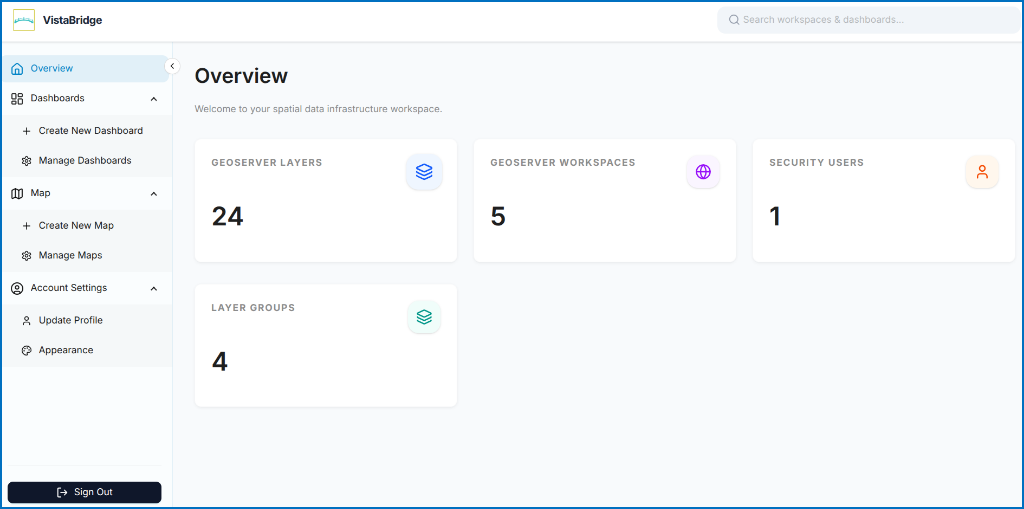 Figure: VistaBridge Administrator Overview Dashboard
Map Workspace Tour
Opening or creating a map displays the interactive 2D map workspace:
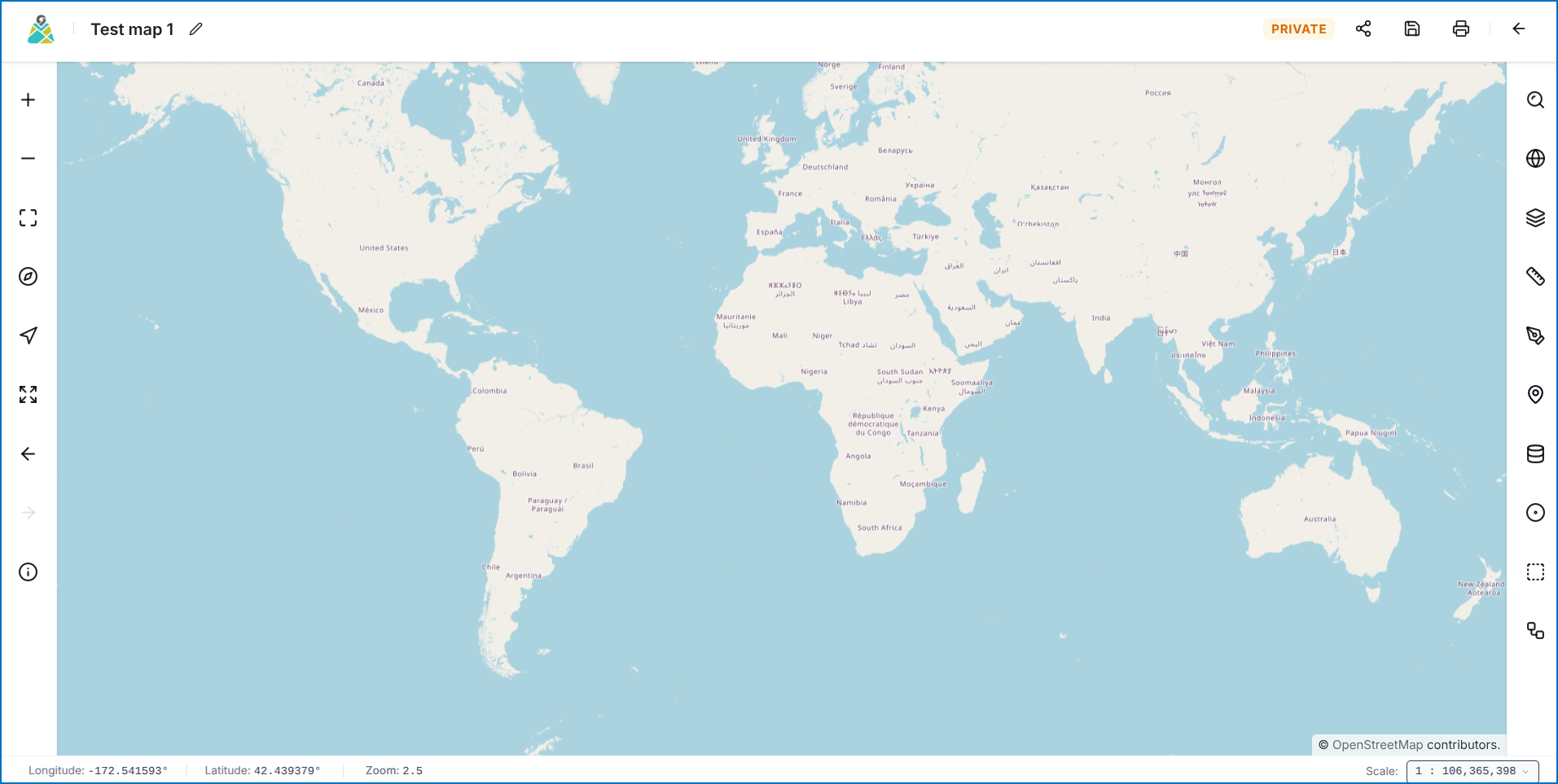 Figure: VistaBridge Interactive Map Editor
Key Interface Areas
- Top-Left: Map details and title editor.
- Top-Right: Share, Save, and Print buttons.
- Left Panel: Standard GIS navigation tools (Zoom, Full Extent, North Reset).
- Right Panel: Geospatial toolset (Fuzzy Search, Basemaps, Layer List, Measurement, Annotation, GO TO XY, Queries, WPS Analysis).
To learn more about the VistaBridge interface and its key features, click here to watch the Overview video.