
anygeom-py: Generate Random Geospatial Geometries in Python with One Line of Code
Posted on March 3, 2026
7 min read
open source
The Problem Every GIS Developer Knows Too Well
Picture this: It’s 2 AM, you’re building a spatial analysis tool, and you need test data. Not just any data — you need 500 random points in UTM Zone 43N, 100 polygons with holes, and 50 circles in Web Mercator projection.
Your options?
- Manual Drawing: Open geojson.io, spend 6 hours clicking points on a map
- Custom Scripts: Write throwaway code for each test case
- Compromise: Settle for EPSG:4326 and hope it’s good enough
I’ve been there. As a GIS developer, I’ve wasted countless hours creating dummy geometries for testing. The frustration of switching between projections, manually drawing complex polygons, and exporting to the right format became a weekly ritual.
There had to be a better way.
Introducing anygeom-py
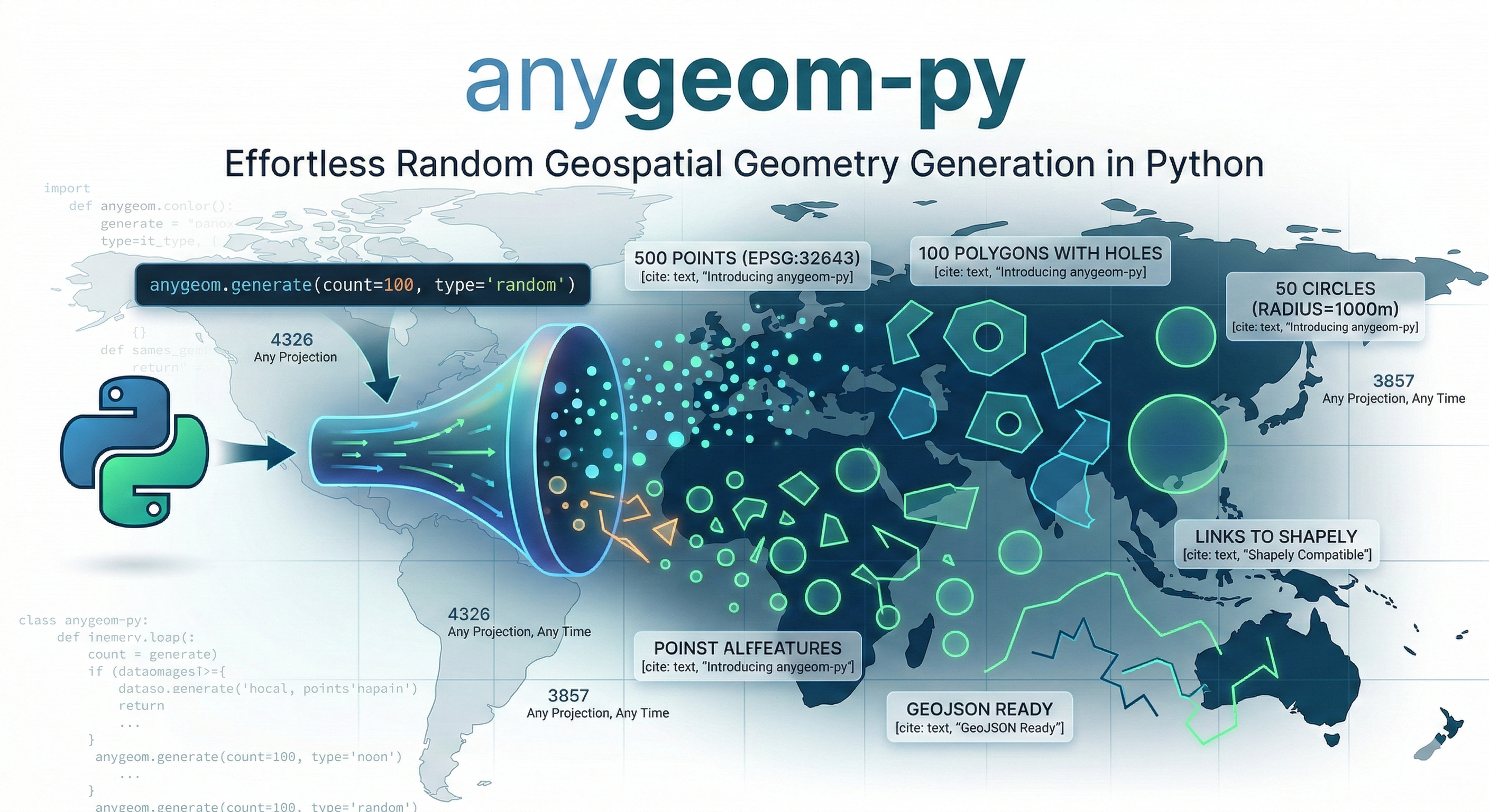
anygeom-py is a Python package that generates random geospatial geometries in any projection with a single line of code. What used to take hours now takes seconds.
from anygeom import Point, Polygon, Circle

# Generate 500 test points in UTM Zone 43N
points = Point(count=500, crs=32643, bbox=[72.0, 18.0, 73.0, 19.0])
# Create 100 complex polygons with holes
polygons = Polygon(count=100, hole=True, min_vertex=6, max_vertex=12)
# Generate 50 perfect circles in Web Mercator
circles = Circle(count=50, radius=1000, crs=3857)
That’s it. Three lines of code. Three seconds of execution time.
Why This Matters
The Time Savings Are Real
Let’s do the math:
- Before: 1 hours to create 500 test geometries manually
- After: 3 seconds with anygeom-py
But it’s not just about time. It’s about:
- Reproducibility: Same code, same results every time
- Flexibility: Change projections instantly
- Scalability: Need 10,000 geometries? No problem
- Focus: Spend time building features, not creating test data
Real-World Use Cases
Since publishing to PyPI, developers are using anygeom-py for:
1. Testing Spatial Databases
# Generate test data for PostGIS performance testing
test_points = Point(count=10000, crs=4326, bbox=[-180, -90, 180, 90])
2. Building Map Visualizations
# Create demo data for Leaflet/Mapbox applications
demo_polygons = Polygon(count=50, bbox=[68.17, 7.96, 97.40, 35.49])
3. Teaching GIS Programming
# Generate examples for spatial analysis tutorials
student_data = Point(count=100, crs=32643, bbox=[72.8, 18.9, 72.9, 19.0])
4. Prototyping Location Services
# Mock location data for app development
user_locations = Point(count=1000, crs=3857, bbox=[-74.1, 40.6, -73.9, 40.8])
Key Features That Make It Powerful
1. Any Projection, Any Time
Support for all EPSG codes means you can work in your preferred coordinate reference system:
# WGS84 (EPSG:4326)
wgs84_points = Point(count=100, crs=4326)
# Web Mercator (EPSG:3857)
web_mercator_points = Point(count=100, crs=3857)
# UTM Zone 43N (EPSG:32643)
utm_points = Point(count=100, crs=32643)
# Any other EPSG code
custom_crs = Point(count=100, crs=2154)  # Lambert 93 (France)p
2. GeoJSON Ready
Returns proper GeoJSON Features, not just geometries:
point = Point()
print(point.__geo_interface__)

# Output:
# {
#   "type": "Feature",
#   "properties": {},
#   "geometry": {
#     "type": "Point",
#     "coordinates": [34.62, 14.18]
#   }
# }
Multiple geometries return a list of Features:
points = Point(count=3)
print(len(points))  # 3
print(points[0])    # Access individual features
3. Customizable Everything
Bounding Boxes: Define exactly where geometries should appear
# Generate points only in Mumbai
mumbai_points = Point(
    count=100,
    bbox=[72.8, 18.9, 72.9, 19.0]
)
Vertex Control: Specify complexity for lines and polygons
# Simple linestring (2-5 vertices)
simple_line = LineString(min_vertex=2, max_vertex=5)


# Complex linestring (20-50 vertices)
complex_line = LineString(min_vertex=20, max_vertex=50)
Polygon Holes: Create realistic complex polygons
# Polygon with a hole (like a donut)
donut = Polygon(hole=True, min_vertex=8, max_vertex=12)
Circle Precision: Control smoothness
# Rough circle (16 points)
rough_circle = Circle(radius=1000, num_points=16)

# Smooth circle (128 points)
smooth_circle = Circle(radius=1000, num_points=128)
4. Built-in Validation
Clear error messages help you catch mistakes early:
# Invalid vertex range
LineString(min_vertex=40, max_vertex=6)
# ValueError: min_vertex (40) cannot be greater than max_vertex (6)

# Invalid bounding box
Point(bbox=[83.77, 29.12, 72.81, 12.70])
# ValueError: bbox minx (83.77) must be less than maxx (72.81)
# Invalid count
Point(count=0)
# ValueError: count must be at least 1, got 0
5. Shapely Compatible
All geometries are Shapely objects, so you can use the full Shapely API:
from anygeom import Point, Polygon
# Generate a point
point = Point()

# Use Shapely methods
print(point.x, point.y)
buffered = point.buffer(1)
print(buffered.area)
# Generate a polygon
polygon = Polygon()
# Use Shapely properties
print(polygon.area)
print(polygon.bounds)
print(polygon.centroid)
Complete API Reference
Point
Point(count=1, crs=4326, bbox=None)
Generates random point geometries.
LineString
LineString(count=1, crs=4326, bbox=None, min_vertex=2, max_vertex=5)
Generates random linestring geometries with customizable vertex count.
Polygon
Polygon(count=1, crs=4326, bbox=None, min_vertex=3, max_vertex=8, hole=False)
Generates random polygon geometries with optional holes.
Circle
Circle(count=1, crs=4326, bbox=None, radius=None, num_points=64)
Generates circular polygon geometries with customizable radius and smoothness.
Multi-Geometries
MultiPoint(count=2, crs=4326, bbox=None)
MultiLineString(count=2, crs=4326, bbox=None, min_vertex=2, max_vertex=5)
MultiPolygon(count=2, crs=4326, bbox=None, min_vertex=3, max_vertex=8, hole=False)
Generates Multi* geometry types (single feature with multiple geometries).
Practical Examples
Example 1: Testing a Spatial Database
from anygeom import Point, Polygon
import psycopg2
import json

# Connect to PostGIS database
conn = psycopg2.connect("dbname=test user=postgres")
cur = conn.cursor()
# Generate test data
test_points = Point(count=1000, crs=4326, bbox=[-180, -90, 180, 90])
# Insert into database
for point in test_points:
    geojson = json.dumps(point.__geo_interface__)
    cur.execute(
        "INSERT INTO test_points (geom) VALUES (ST_GeomFromGeoJSON(%s))",
        (geojson,)
    )
conn.commit()
Example 2: Creating a Map Visualization
from anygeom import Polygon, Circle
import folium
import json
# Generate demo data
polygons = Polygon(count=20, bbox=[72.8, 18.9, 72.9, 19.0])
circles = Circle(count=10, radius=0.01, bbox=[72.8, 18.9, 72.9, 19.0])
# Create map
m = folium.Map(location=[18.95, 72.85], zoom_start=12)
# Add polygons
for poly in polygons:
    folium.GeoJson(poly.__geo_interface__).add_to(m)
# Add circles
for circle in circles:
    folium.GeoJson(circle.__geo_interface__).add_to(m)
m.save('demo_map.html')
Example 3: Teaching Spatial Analysis
from anygeom import Point
import geopandas as gpd

# Generate student exercise data
points = Point(count=100, crs=4326, bbox=[72.8, 18.9, 72.9, 19.0])
# Convert to GeoDataFrame
features = [p.__geo_interface__ for p in points]
gdf = gpd.GeoDataFrame.from_features(features)
# Students can now practice spatial operations
print(gdf.head())
print(gdf.total_bounds)
print(gdf.distance(gdf.iloc[0].geometry))
Example 4: Benchmarking Spatial Algorithms
from anygeom import Point, Polygon
import time

# Generate large dataset
points = Point(count=10000, crs=4326, bbox=[-180, -90, 180, 90])
polygons = Polygon(count=1000, crs=4326, bbox=[-180, -90, 180, 90])
# Benchmark spatial join
start = time.time()
# ... your spatial join code ...
end = time.time()
print(f"Spatial join took {end - start:.2f} seconds")
Technical Architecture
The Challenge
Building anygeom-py required solving several technical challenges:
1. Coordinate Reference Systems
- EPSG:3857 (Web Mercator) has latitude limits (-85° to 85°)
- Coordinate transformations can produce NaN values
- Different CRS have different valid bounds
2. GeoJSON Compliance
- Shapely returns tuples for coordinates
- GeoJSON spec requires lists
- Need to maintain Shapely compatibility
3. Flexible Return Types
- Single geometry should return a Feature
- Multiple geometries should return a list of Features
- Must support iteration and indexing
The Solution
Wrapper Pattern: Created two wrapper classes that provide GeoJSON Feature output while maintaining Shapely compatibility:
class _GeometryWrapper:
    """Wraps single Shapely geometry"""
    def __init__(self, geom):
        self._geom = geom

    @property
    def __geo_interface__(self):
        return {
            "type": "Feature",
            "properties": {},
            "geometry": json.loads(json.dumps(self._geom.__geo_interface__))
        }

class _GeometryListWrapper:
    """Wraps multiple geometries"""
    def __init__(self, geoms):
        self._geoms = geoms

    @property
    def __geo_interface__(self):
        return [_to_feature(g) for g in self._geoms]
Factory Pattern: Used __new__ to return appropriate wrapper types:
class Point:
    def __new__(cls, count=1, crs=4326, bbox=None):
        if count == 1:
            return _GeometryWrapper(geometry.Point(...))
        return _GeometryListWrapper([geometry.Point(...) for _ in range(count)])
CRS-Aware Defaults: Implemented smart bbox defaults to prevent transformation errors:
def _get_default_bbox(crs):
    if crs == 3857:  # Web Mercator
        return [-180, -85, 180, 85]
    return [-180, -90, 180, 90]
Installation and Getting Started
Installation
pip install anygeom-py
Quick Start
from anygeom import Point

# Generate a single point
point = Point()
# Generate multiple points
points = Point(count=10)
# Generate with custom parameters
custom_points = Point(
    count=100,
    crs=32643,
    bbox=[72.0, 18.0, 73.0, 19.0]
)
# Export as GeoJSON
geojson = custom_points.__geo_interface__
# Save to file
import json
with open('points.geojson', 'w') as f:
    json.dump(geojson, f, indent=2)
Roadmap and Future Features
Based on community feedback, here’s what’s coming:
Version 0.2.0 (Next Release)
- Rectangle/Box geometry
- Ellipse geometry
- Triangle geometry
- Regular polygons (Pentagon, Hexagon, Octagon)
Version 0.3.0
- 3D geometry support (Z coordinates)
- Custom properties in GeoJSON Features
- Geometry constraints (non-overlapping, minimum distance)
- Export to WKT and WKB formats
Version 0.4.0
- Realistic geometry patterns (road networks, building footprints)
- Geometry clustering algorithms
- CLI tool for quick generation
- Performance optimizations for large datasets
Contributing and Feedback
anygeom-py is open source (Apache-2.0 license) and welcomes contributions!
Ways to Contribute
- Report Bugs: Found an issue? Open a GitHub issue
- Request Features: What geometry types would you like?
- Submit PRs: Code contributions are welcome
- Share Use Cases: How are you using anygeom-py?
- Spread the Word: Star the repo, share with colleagues
Beta Testing
I’m actively seeking beta testers! If you:
- Work with geospatial data
- Build GIS applications
- Teach spatial programming
- Need test data regularly
Try anygeom-py and share your feedback. Your input shapes the roadmap.
Get Started Today
pip install anygeom-py
Links
- PyPI: https://pypi.org/project/anygeom-py/
- GitHub: https://github.com/Rotten-Grapes-Pvt-Ltd/anygeom-py
- Contact: krishna@rottengrapes.tech
Try It Now
from anygeom import Point, Polygon, Circle

# Your first geometry in 3 seconds
points = Point(count=100, crs=4326, bbox=[-180, -90, 180, 90])
print(f"Generated {len(points)} points!")
If you found this useful, please give the project a star on GitHub and share it with your network. Let’s make GIS development more efficient together!