
Geometry vs Geography in PostGIS: Which One Should You Use?
6 min read
By Pratiksha Gundecha
GIS
PostGIS
Web Mercator
Map Projections
Spatial Data
Quick answer: PostGIS gives you two ways to store locations. Geometry treats the Earth like a flat sheet and measures in whatever unit your coordinates use. Geography treats the Earth like a globe and always measures in metres. Choose geography for long distances on GPS data. Choose geometry, with a local map projection, for city-level work, speed and advanced tools.
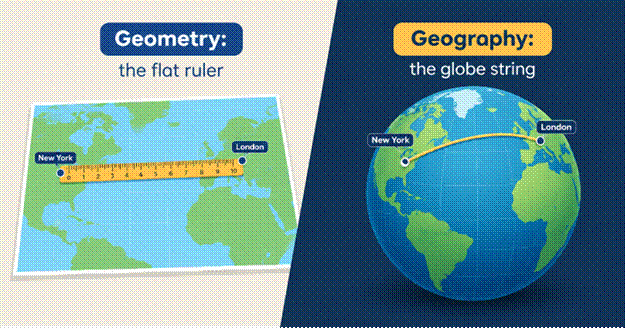
Geometry measures on a flat map. Geography measures across the Earth’s curved surface.
The number that confuses everyone
You ask your database how far Pune is from Mumbai. It replies: 1.12.
1.12 what? Kilometres? Miles? Neither. It is degrees, the unit of latitude and longitude. The real straight-line distance is about 120 km.
Nothing crashed and no error appeared. The database simply answered in the unit your data was stored in. This is how wrong numbers slip into reports, dashboards and decisions without anyone noticing.
Why a degree is not a fixed length
Peel an orange and try to press the peel flat on a table. It tears or stretches somewhere, every time. Flattening the Earth onto a map has the same problem. A map projection is simply the recipe used to flatten the globe, and every recipe distorts something.
Latitude and longitude are angles, not distances. One degree north–south is about 111 km everywhere. But one degree east–west shrinks as you move away from the equator, because the lines of longitude squeeze together toward the poles.
| City | Latitude | 1 degree east–west is about |
|---|---|---|
| Kanyakumari | 8.1° N | 110 km |
| Chennai | 13.1° N | 108 km |
| Pune | 18.5° N | 106 km |
| Kolkata | 22.6° N | 103 km |
| Guwahati | 26.1° N | 100 km |
| Delhi | 28.6° N | 98 km |
| Srinagar | 34.1° N | 92 km |
Worked out from each city’s latitude and rounded.
This is why “1.12 degrees” cannot be turned into kilometres with one simple multiplication. The multiplier changes from city to city.
A hidden side effect: your circles become ovals. Draw a 0.01-degree zone around a point and it is about 1.11 km tall everywhere. But its width is about 1.06 km in Pune and only 0.92 km in Srinagar, because a degree of longitude covers less ground the farther you are from the equator.
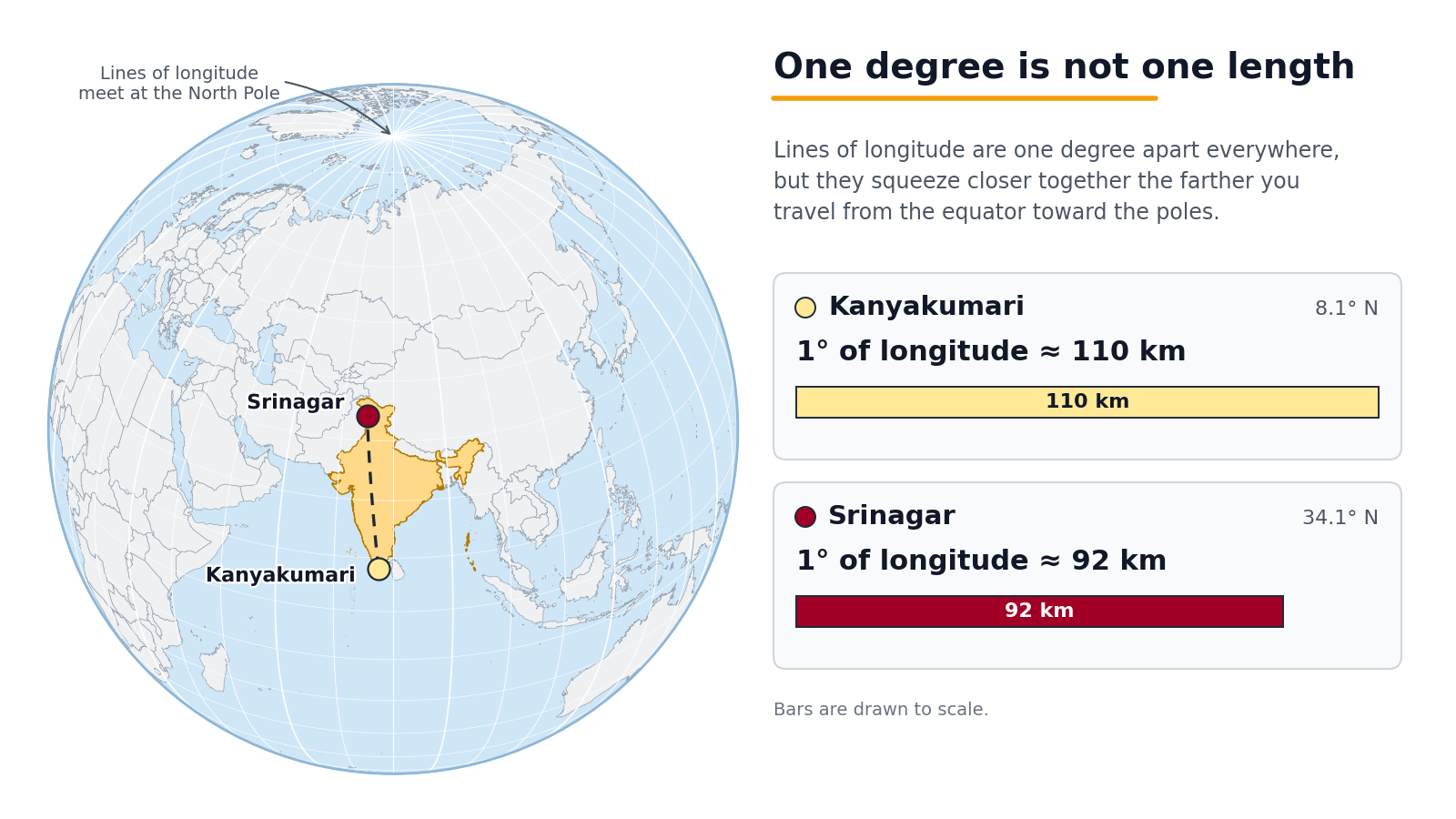
One degree of longitude covers about 110 km at Kanyakumari but only about 92 km at Srinagar.
Geometry and geography in plain words
| Geometry | Geography | |
|---|---|---|
| Think of it as | A ruler on a flat map | A string pulled tight on a globe |
| Measures in | The units of your map system (degrees, metres, feet) | Always metres |
| Strength | Fast, with the biggest toolbox | Accurate distances and areas anywhere on Earth |
| Weakness | Wrong answers if the map system is a poor fit | Slower, with fewer tools |
| Typical user | Planners and surveyors working in one region | Delivery and logistics covering all of India or the world |
One point that is easy to miss: neither type fixes bad inputs. If latitude and longitude are swapped, or the coordinate label is wrong, geography will still calculate a precise, confident, wrong answer.
Good to know: Geometry is not wrong. It becomes inaccurate only when you measure in an unsuitable coordinate system, such as raw latitude and longitude.
What a web map does to your measurements
Most web maps, including Google Maps and OpenStreetMap, draw the world using a projection called Web Mercator (known by the code EPSG:3857). It is excellent for viewing and poor for measuring, because it stretches everything more the farther you go from the equator. That is why professionals switch to other coordinate systems when they need accurate measurements.
Here is what happens if you measure a true 100-hectare plot and a true 10 km road inside Web Mercator:
| Location | Latitude | 100 ha plot reads as | 10 km road reads as |
|---|---|---|---|
| Kanyakumari | 8.1° N | 102 ha | 10.1 km |
| Chennai | 13.1° N | 105 ha | 10.3 km |
| Pune | 18.5° N | 111 ha | 10.5 km |
| Kolkata | 22.6° N | 117 ha | 10.8 km |
| Guwahati | 26.1° N | 124 ha | 11.1 km |
| Delhi | 28.6° N | 130 ha | 11.4 km |
| Srinagar | 34.1° N | 146 ha | 12.1 km |
Worked out from each city’s latitude and rounded. Real software output may differ slightly.
Read it this way: in Srinagar, a 100-hectare farm shows up as 146 hectares, so 46 hectares of land appear out of nowhere. In Kanyakumari the error is small enough to miss. That is the dangerous part: a method tested in the south can quietly fail in the north.
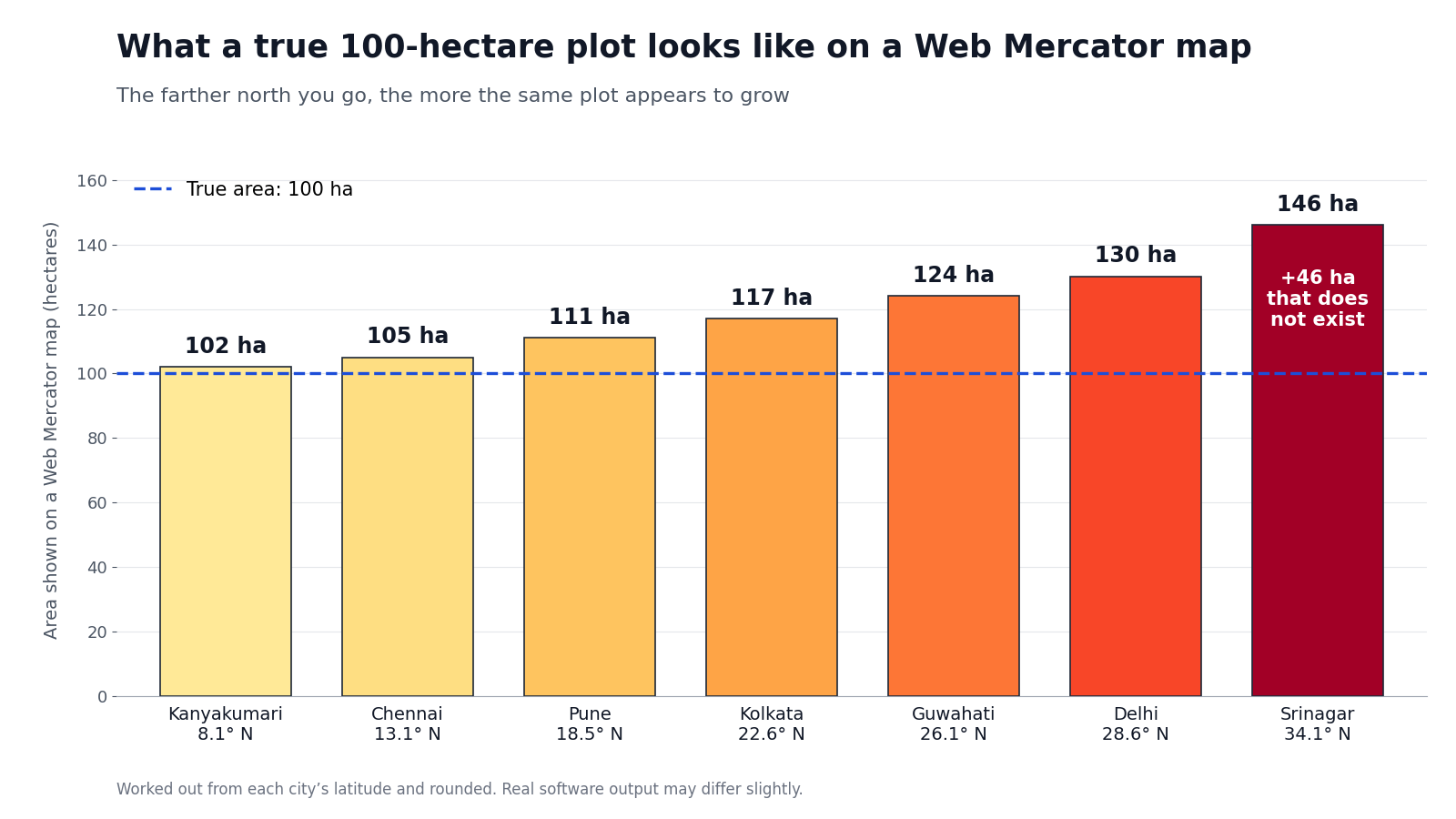
The same 100-hectare plot looks bigger on a Web Mercator map the farther north it sits.
Where this shows up in real work
These are illustrative situations, not reported incidents:
- Land and farm records. Plot areas feed into subsidies, tax and compensation. An area about 30% too large in Delhi means paying for land that is not there.
- Service areas. A “we deliver within 5 km” zone drawn in degrees becomes a squashed oval, so some customers on the east and west edges are wrongly left out.
- Cost estimates. A 10 km canal, pipeline or cable route that reads as 11.4 km in Delhi leads to materials and budget being ordered for distance that does not exist.
So which one should you pick?
Skip the theory and match your situation:
| Your situation | Pick | Why |
|---|---|---|
| Delivery or logistics across India | Geography | Distances stay correct at every latitude |
| Ward or zone analysis inside one city | Geometry in a local map zone (UTM) | Fast, precise, full toolbox |
| Farm or plot areas in one district | Geometry in a local map zone (UTM) | Accurate areas, simple maths |
| A state-wide or country-wide area total | Geography, or an equal-area projection made for India | One local zone cannot cover everything |
| Only showing a map on a website | Either, but store clean data and convert only for display | Displaying and measuring are separate jobs |
UTM (Universal Transverse Mercator) splits the world into narrow north–south strips, each of which measures accurately in metres. India crosses about six of them, so the right one depends on where you work. If your data crosses a strip boundary, use geography instead of stretching one strip too far.
Rule of thumb: wide area, use geography. Local work and heavy analysis, use geometry in a local zone. Never trust distances or areas that come directly from degrees or from Web Mercator measurements.
The 2-minute reality check for your own data
Before you trust any distance or area from your database, do this:
- Measure something you already know. Use two places with a known distance, such as Pune and Mumbai (about 120 km).
- Look at the size of the answer. A result like 1.12 or 0.0009 means degrees. A result near 120000 means metres. A result near 120 means kilometres.
- Check the label. Every location column carries a numeric coordinate-system label (called an SRID). The label 4326 means plain latitude and longitude, so measurements come out in degrees unless you first convert to geography or to a projected system.
Developers can find the exact queries in the “For developers” section below.
Four myths worth dropping
| Myth | Reality |
|---|---|
| “SRID 4326 means metres.” | 4326 is latitude and longitude. Data stored in it measures in degrees. |
| “Geography is always the safe choice.” | It is safe for distance and area, but slower and with fewer tools. |
| “If the map looks right, the numbers are right.” | Web maps look right while stretching sizes. |
| “Switching types fixes bad data.” | Swapped coordinates or wrong labels stay wrong. |
For developers: the exact queries and map zones
PostGIS expects longitude first, then latitude. This known-distance test should return roughly 120000 (metres):
SELECT ST_Distance(
ST_SetSRID(ST_MakePoint(73.8567, 18.5204), 4326)::geography,
ST_SetSRID(ST_MakePoint(72.8777, 19.0760), 4326)::geography
);
And the label check:
SELECT ST_SRID(geom) FROM your_table LIMIT 1;
Local UTM zones for common Indian cities:
| City | UTM zone | EPSG code |
|---|---|---|
| Pune, Mumbai, Delhi, Bengaluru | 43N | 32643 |
| Chennai | 44N | 32644 |
| Kolkata | 45N | 32645 |
| Guwahati | 46N | 32646 |
The short version
- Degrees are angles, not distances, so a database answer in degrees is not a distance you can use.
- Web maps are built for looking, not measuring. The farther north you work, the more they overstate.
- Use geography for wide areas, use geometry in a local zone for local work, and always test with a distance you already know.
So, the next time your database answers 1.12, you will know what to ask: 1.12 what? Check the unit and the coordinate system behind the number before you trust it. Get those two right, and both geometry and geography will give you answers you can rely on.