
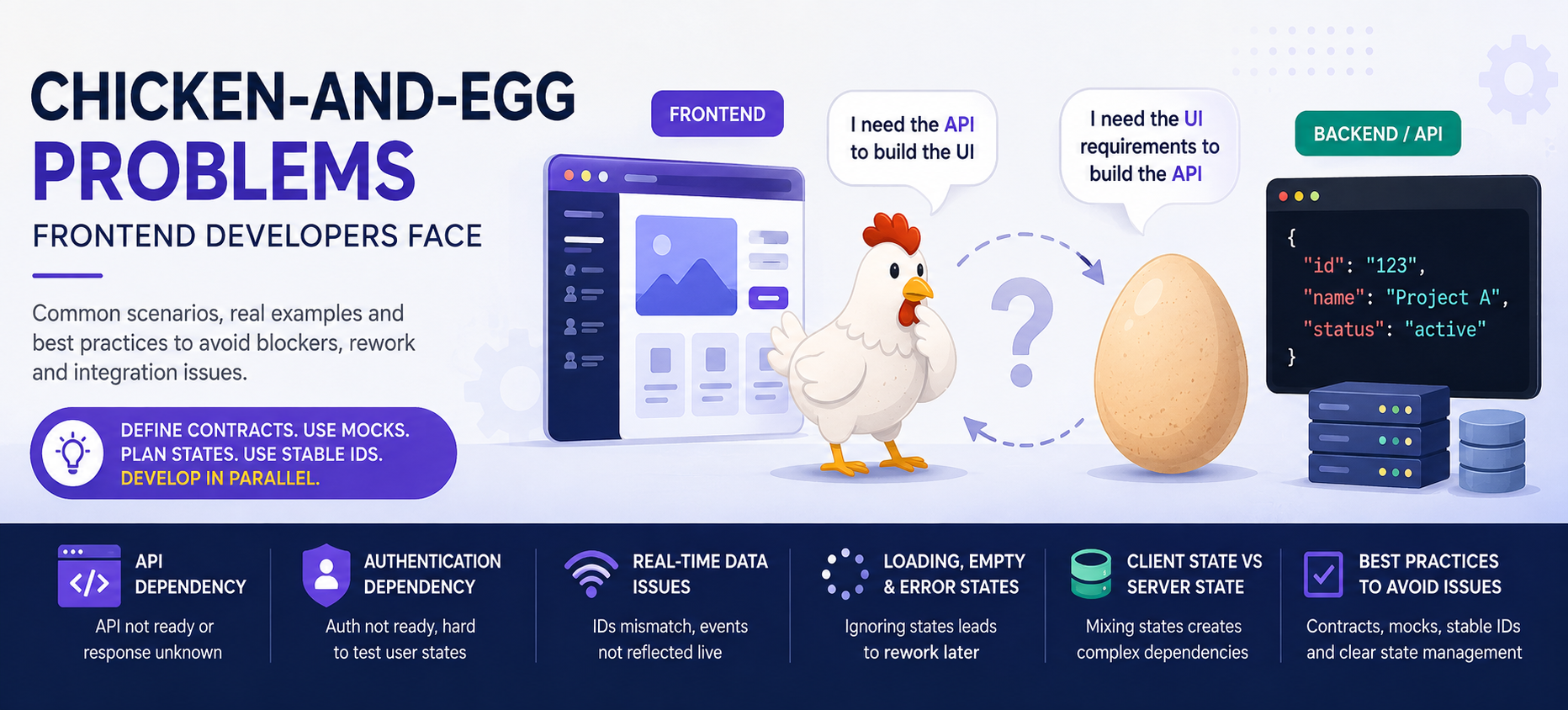
Chicken-and-Egg Problems Frontend Developers Face
3 min read
By Akash Patil
open source
GIS
What is a Chicken-and-Egg Problem?
In frontend development, a chicken-and-egg problem happens when one part of the system cannot move forward until another part is completed.
For example:
Frontend needs the API structure to build the UI, but backend needs the UI requirements to finalize the API.
If this isn't handled properly, development becomes blocked, assumptions are made, and later integration creates rework.
1. Frontend vs Backend API
The Problem
Frontend needs:
GET /api/projects/:id
But the backend isn't ready yet.
The frontend developer guesses:
project.name
project.status
Later, backend returns:
{
  "project_name": "Project A",
  "state": "active"
}
Now frontend code needs to change.
Best Practice
Define the API contract first.
For example:
{
  "id": "123",
  "name": "Project A",
  "status": "active"
}
Then frontend can use mock data while backend is being developed.
Useful approaches:
- OpenAPI / Swagger
- TypeScript types
- Zod schemas
- MSW / API mocking
Don't wait for the backend to start frontend development.
2. Design vs Development
The Problem
Designer creates:
Infinite scroll
Animations
Real-time updates
Drag & Drop
Frontend starts implementation and discovers that the backend only supports basic pagination.
Now design, API and implementation don't match.
Best Practice
Have a quick Design + Engineering discussion before development.
Confirm:
- Responsive behavior
- API requirements
- Loading state
- Empty state
- Error state
- Animation feasibility
- Mobile behavior
- Accessibility
Don't design only the happy path.
Think about:
Loading → Success → Empty → Error
3. Authentication Dependency
The Problem
The frontend needs user information:
session.user
But authentication isn't ready.
Now developers cannot properly test:
Logged in
Logged out
Unauthorized
Admin
Normal User
Expired session
Best Practice
Create an abstraction:
UI
 ↓
Auth Hook
 ↓
Auth Provider
 ↓
Real Auth / Mock Auth
During development, use a mock user.
This allows the UI to be developed independently from the authentication system.
4. Real-Time / WebSocket / SSE Problems
This is one of the most dangerous chicken-and-egg problems in modern applications.
Example
Frontend creates a job:
job_id = 123
Later WebSocket sends:
job_id = 456
Frontend tries:
jobs.find(job => job.id === event.job_id)
No match → UI doesn't update.
But after refreshing the page, the image/result appears because the database contains it.
This creates the classic:
"It works after refresh but not live."
Best Practice
Use a stable correlation ID throughout the entire flow:
Frontend
   ↓
API
   ↓
Queue
   ↓
Worker
   ↓
WebSocket / SSE
   ↓
Frontend
The same job_id / operation_id should identify the operation everywhere.
Also define clearly:
What is the source of truth?
For example:
Database = Source of Truth
WebSocket = Real-time Update
TanStack Query = Client Cache
5. Loading, Empty & Error States
The Problem
Developers usually build:
API Success
    ↓
Render UI
But real applications have:
Loading
Empty
Success
Error
Refreshing
Unauthorized
If these aren't considered initially, developers often have to restructure the component later.
Best Practice
Before coding, define the states:
             Loading
                ↓
           API Response
          /            \
      Success          Error
         ↓
       Empty?
       /    \
     Yes     No
Every important component should have a clear behavior for these states.
6. Client State vs Server State
Another common problem is putting everything into global state.
For example:
API Data
User Data
Notifications
Modal
Forms
Filters
Loading
Everything goes into Zustand/Redux.
Now multiple components become tightly coupled.
Better Approach
Separate responsibilities:
Server State
    ↓
TanStack Query

UI State
    ↓
Zustand

Form State
    ↓
React Hook Form

URL State
    ↓
Search Params
This makes dependencies much easier to understand.
How to Avoid Chicken-and-Egg Problems
Before starting a feature, answer these questions:
1. What data does the UI need?

2. Where does that data come from?

3. Is the API contract defined?

4. What is the loading state?

5. What happens when data is empty?

6. What happens when the API fails?

7. What happens when the user is unauthorized?

8. What is the unique ID for this entity/job?

9. Who owns this state?

10. Can frontend work using mock data?
If these questions don't have answers, the feature probably isn't ready for development.
The Better Development Flow
Instead of:
Backend
   ↓
Frontend
   ↓
Integration
   ↓
Problems
Use:
          Requirement
               ↓
          API Contract
               ↓
        ┌──────┴──────┐
        ↓             ↓
    Frontend       Backend
    Mock Data      Real API
        ↓             ↓
        └──────┬──────┘
               ↓
           Integration
               ↓
            Testing
Final Takeaway
The goal isn't to remove every dependency between frontend and backend.
The goal is to make dependencies explicit and allow teams to work in parallel.
Remember these 5 things:
1. Define contracts before coding.
2. Use mock data instead of waiting for APIs.
3. Design loading, empty and error states early.
4. Use stable IDs for real-time operations.
5. Separate server state from client/UI state.
Don't wait for the other side to finish. Define the contract, mock the dependency, and develop in parallel.