Account Profile & Password Settings
The Account Settings section allows users to manage their profile information and password.
Manage Profile
Users can view and update their profile details from the Account Settings page:
- Open Account Settings.
- Update the required profile details.
- Click Save to save the changes.
- The Account Status section displays whether the account is Active or inactive.
Change Password
Users can update their account password from the Account Settings page:
- Enter the Current Password.
- Enter the New Password.
- Enter the Confirm Password.
- Click Save/Update Password.
GeoServer Password Synchronization
Once the password is successfully changed, the associated GeoServer account password is automatically updated accordingly.
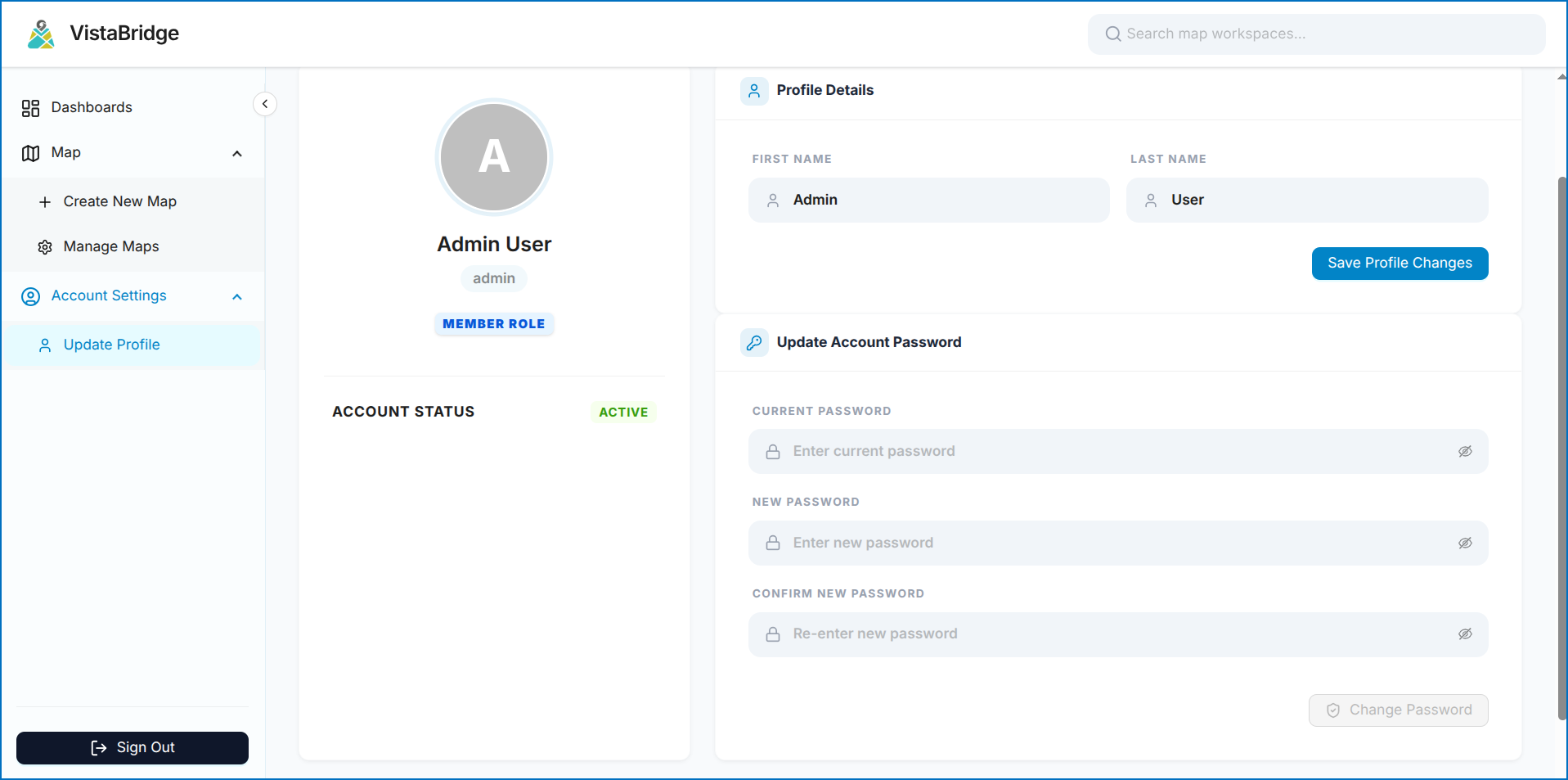 Figure: User Profile & Password Management Interface