Annotation Tools
The Annotation tool allows users to add drawings, geometries, and labels directly on the map.
Adding Annotations
- Select the required annotation tool.
- Click or drag on the map to create the annotation.
- Double-click or release the mouse to finish drawing.
- Click Save in the top-right corner to save the changes made to the map, or click Clear Annotations to remove all drawings.
Supported Annotation Types
Users can add the following annotations to the map workspace:
- Point
- Line & Freehand Line
- Square & Rectangle
- Circle
- Freehand Polygon
- Label / Text
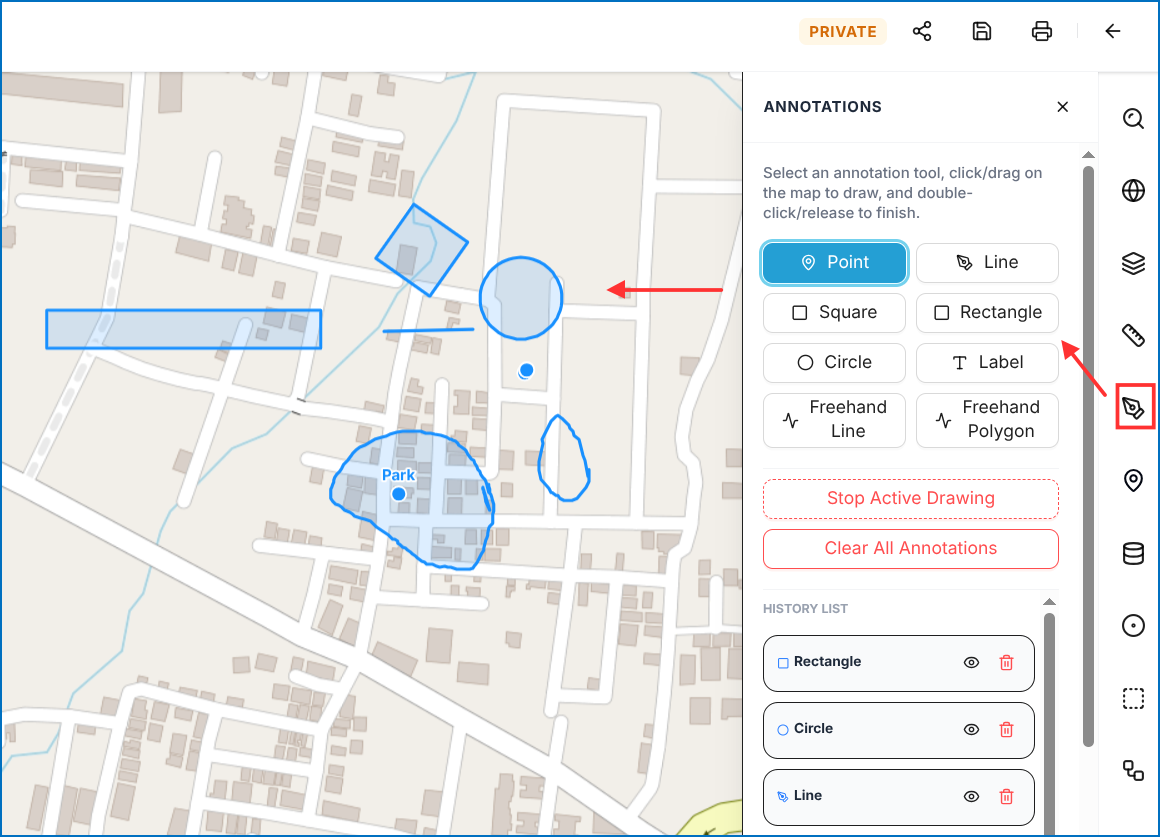 Figure: Map Annotation Tools