Create a New 2D Map
- Click Create New Map from the Maps dashboard.
- The Configure 2D Map window will appear.
- Enter the Map Name and Description as required.
- Under Access Control, select the required access level:
- Private
- Public
- Select the appropriate access level and click Create Map.
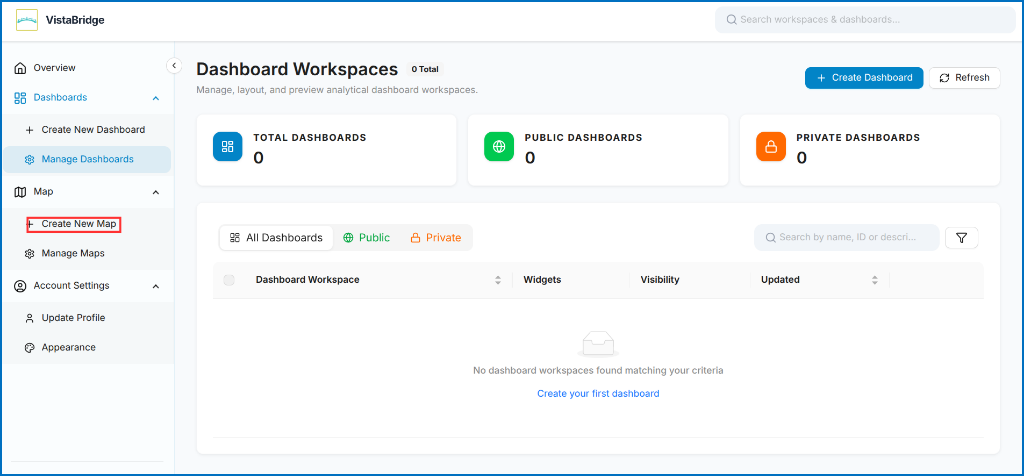 Figure: Create New Map
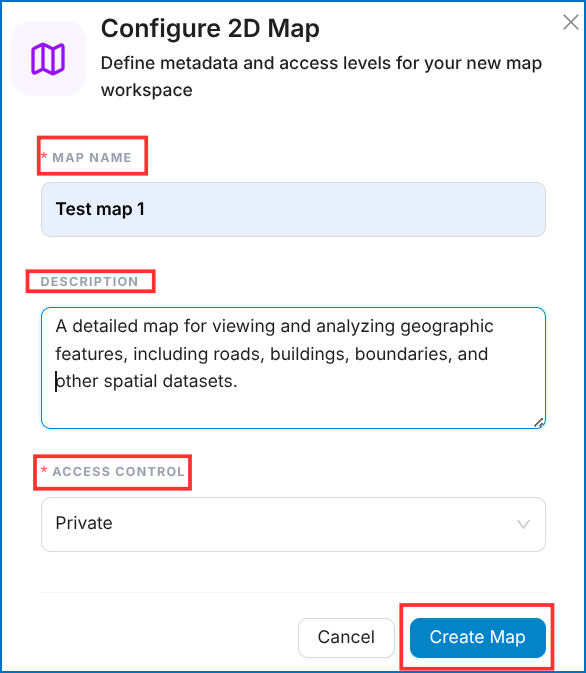 Figure: Configure 2D Map - Access Control Selection
After clicking Create Map, the Edit Map window will appear. Users can edit and configure the map using various tools available on the interface.
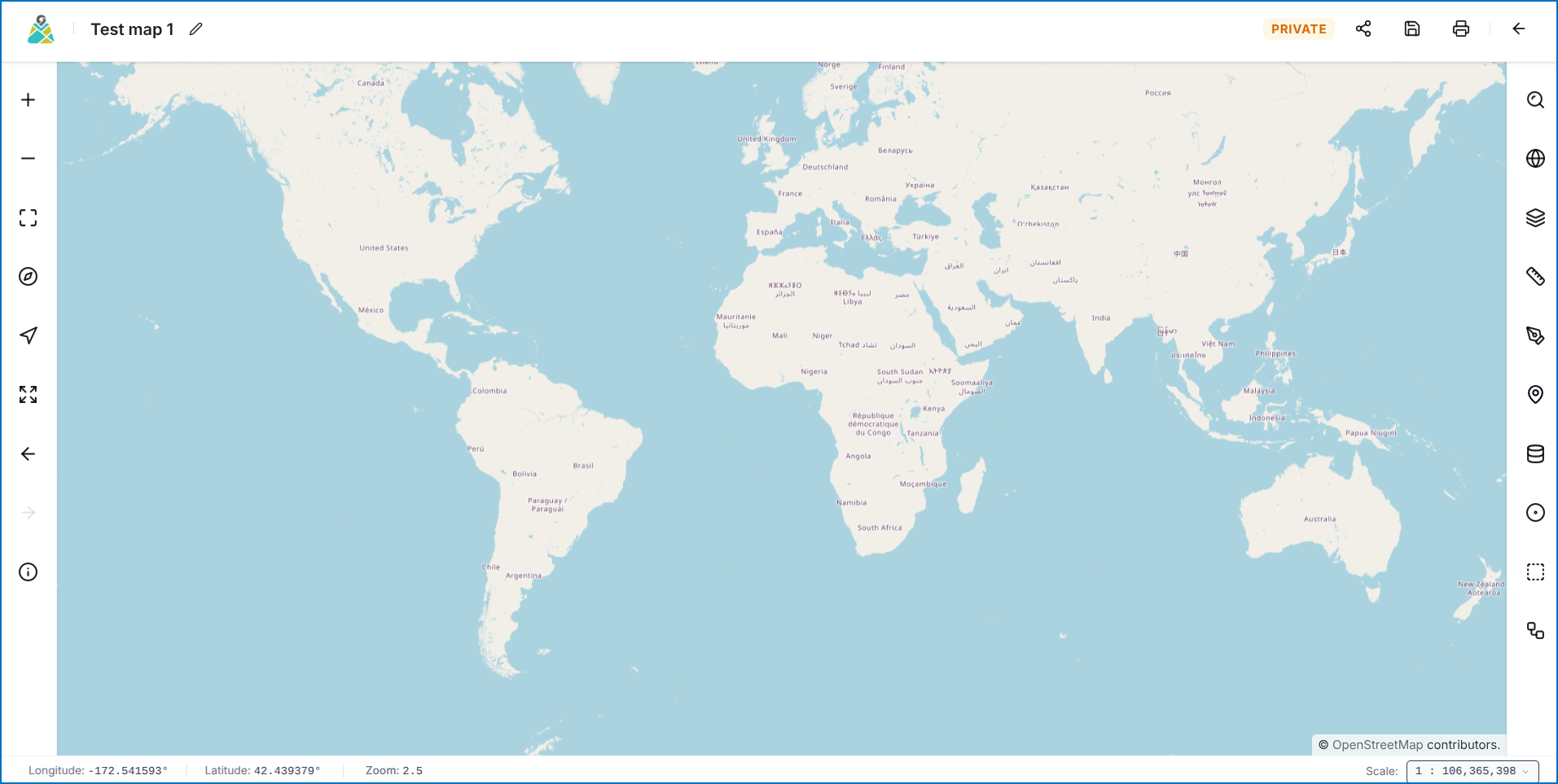 Figure: VistaBridge Map Editor Interface
To learn how to create a new map workspace in VistaBridge, click here to watch the Create Map video tutorial.