GO TO XY Coordinate Locator
Navigate directly to specific geographic coordinates across three coordinate systems: Users can specify the same geographic location using three coordinate formats: DD, DMS, and UTM.
Decimal Degrees (DD)
- Enter coordinates in Decimal Degrees (DD) format (e.g.,
-73.816623, 18.638469). - Click Go to navigate to the location on the map.
- Click Save Location to provide a name and bookmark it.
-
Manage saved locations via the three-dot menu (Fly To, Rename, Hide/Unhide, Delete).
-
Enter Coordinates
- Enter the coordinates in Decimal Degrees (DD) format (Example:
-73.816623, 18.638469). - Click Go to navigate to the specified location on the map.
- Enter the coordinates in Decimal Degrees (DD) format (Example:
-
Save Location
- After navigating to the location, users can save it and provide a name.
- The saved location will be available under Saved Locations.
-
Manage Saved Locations
- Click the three-dot menu next to a saved location to access the following options:
- Fly To – Navigate to the saved location on the map.
- Rename – Change the name of the saved location.
- Hide/Unhide – Hide or display the location marker on the map.
- Clear – Remove the marker from the map.
- Delete – Delete the saved location.
- Click the three-dot menu next to a saved location to access the following options:
-
After making the required changes, click Save in the workspace to save the changes.
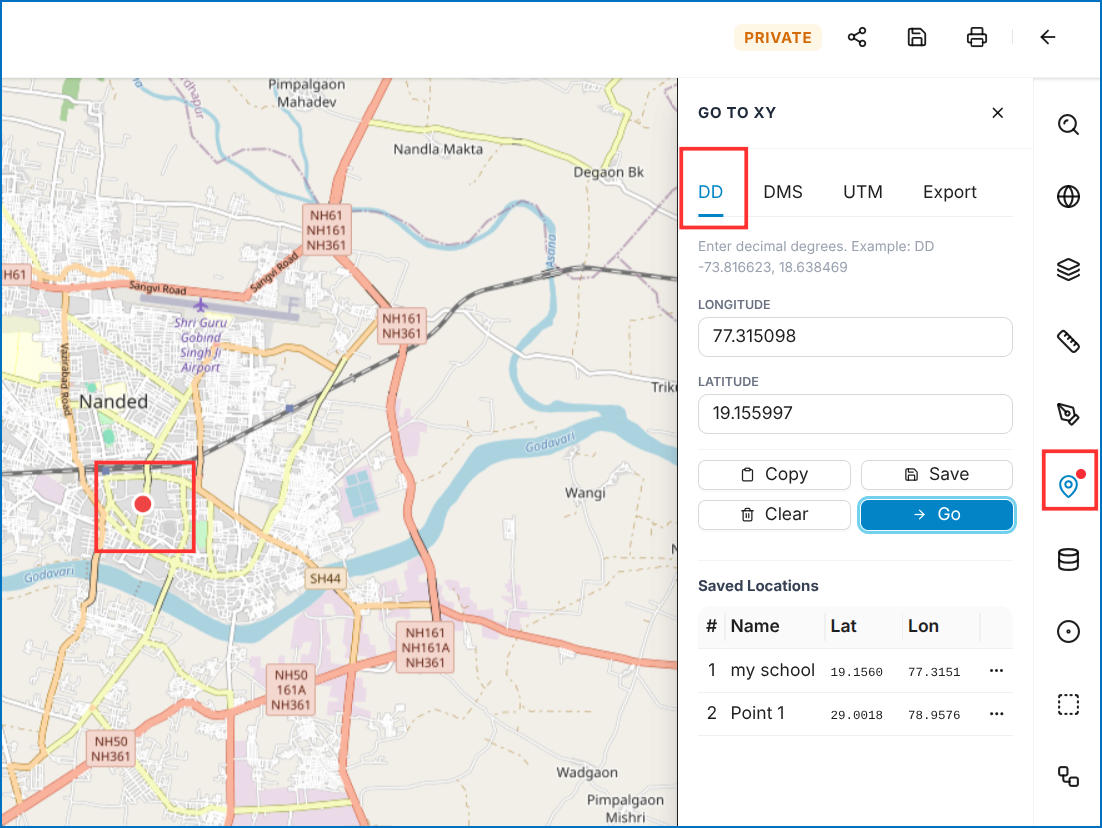 Figure: Decimal Degrees (DD) Navigation & Saved Locations
Figure: GO TO XY - Decimal Degrees (DD) and Saved Locations
Figure: Decimal Degrees (DD) Navigation & Saved Locations
Figure: GO TO XY - Decimal Degrees (DD) and Saved Locations
Degrees, Minutes, and Seconds (DMS)
Enter coordinates in DMS format (deg° min' sec"):
A coordinate format used to specify a geographic location using degrees, minutes, and seconds. It functions identically to DD navigation.
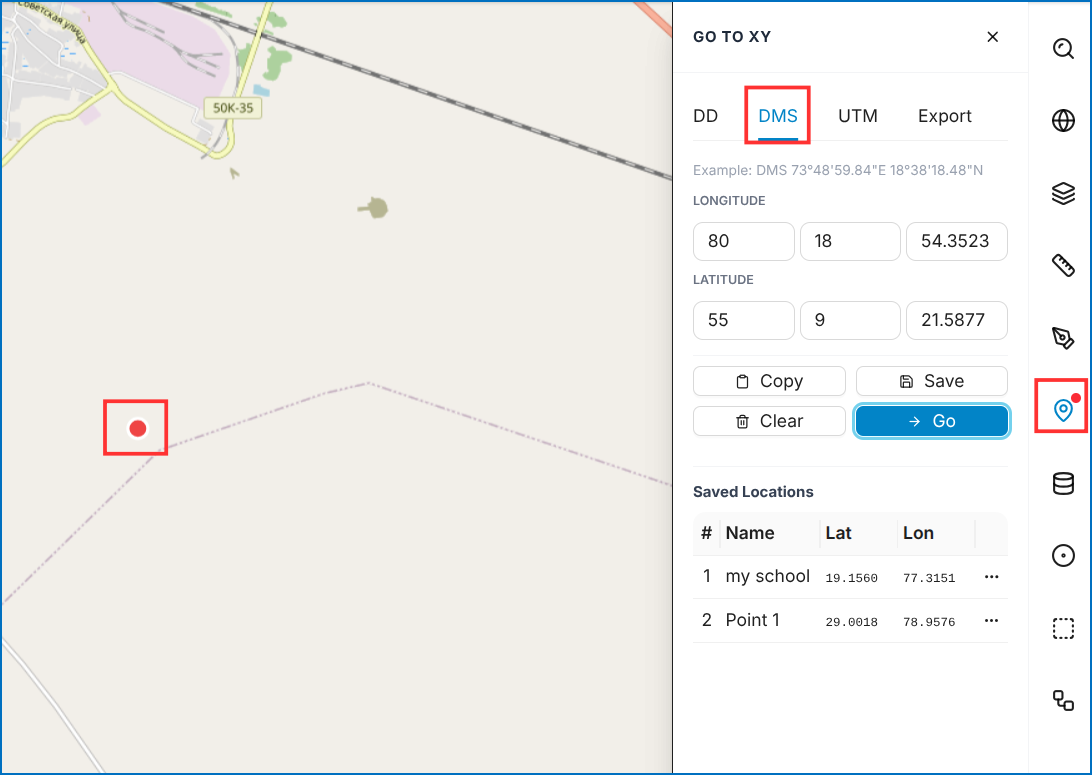 Figure: Degrees, Minutes, and Seconds (DMS) Format
Figure: GO TO XY - Degrees, Minutes, and Seconds (DMS)
Figure: Degrees, Minutes, and Seconds (DMS) Format
Figure: GO TO XY - Degrees, Minutes, and Seconds (DMS)
Universal Transverse Mercator (UTM)
Enter coordinates using Easting and Northing values measured in meters:
UTM (Universal Transverse Mercator) – A coordinate system that represents geographic locations using Easting and Northing values measured in meters.
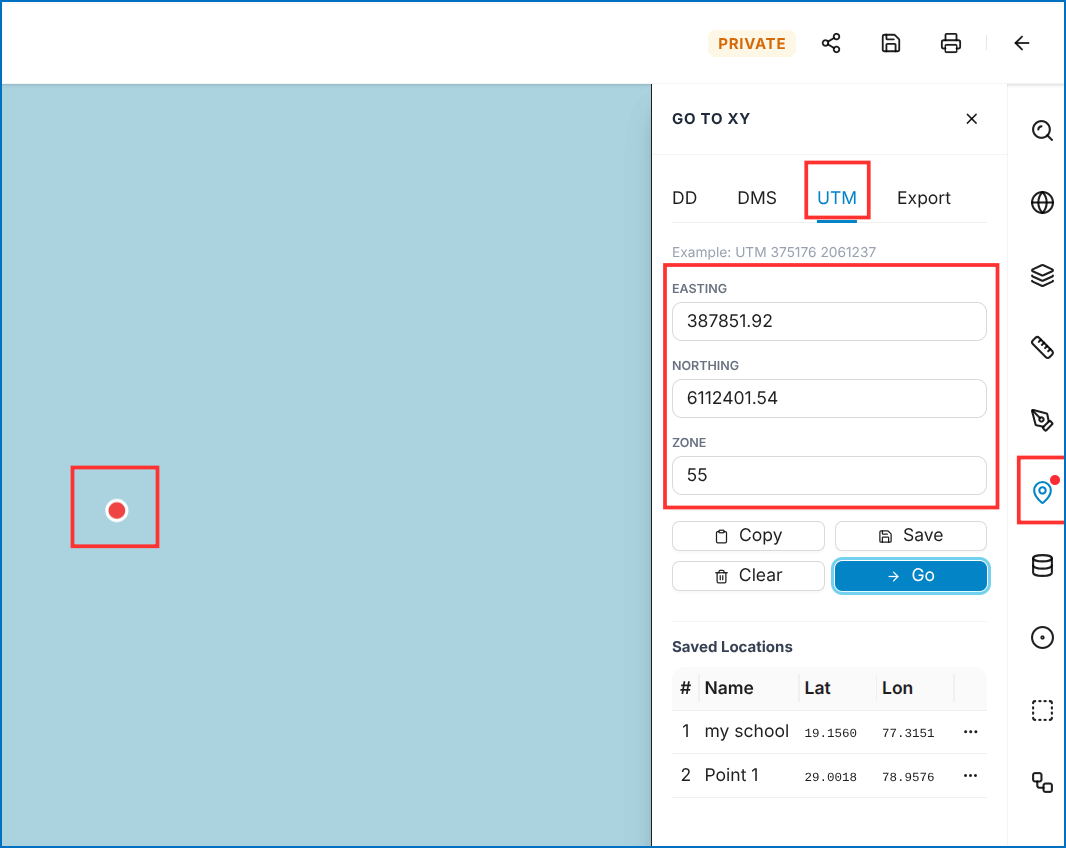 Figure: Universal Transverse Mercator (UTM) Format
Figure: GO TO XY - Universal Transverse Mercator (UTM)
Figure: Universal Transverse Mercator (UTM) Format
Figure: GO TO XY - Universal Transverse Mercator (UTM)
Export Saved Coordinates
Export saved coordinate bookmarks to a CSV file:
You can export the saved coordinate locations to a CSV file through the export option:
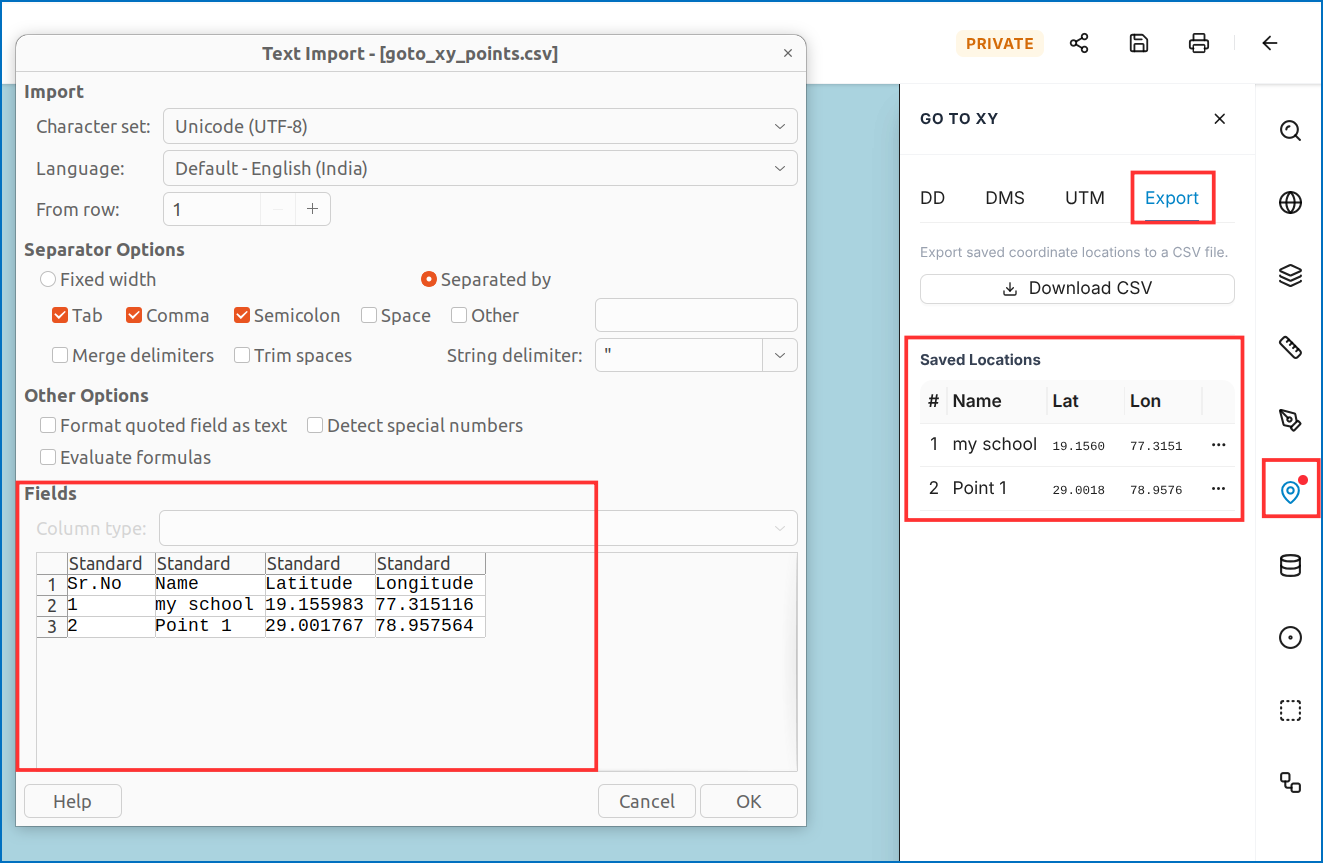 Figure: CSV Coordinate Export
Figure: GO TO XY - Export Saved Locations to CSV
Figure: CSV Coordinate Export
Figure: GO TO XY - Export Saved Locations to CSV