Basemaps & Layer List Management
Base Map Layer Selection
VistaBridge provides standard global basemaps: - OSM (OpenStreetMap) — Standard street and road map. - ESRI World Imagery — High-resolution global satellite imagery. - Google Hybrid — Satellite imagery with road/label overlays. - Google Street — Standard Google street map.
Click Basemap Selector in the right panel and choose your preferred basemap:
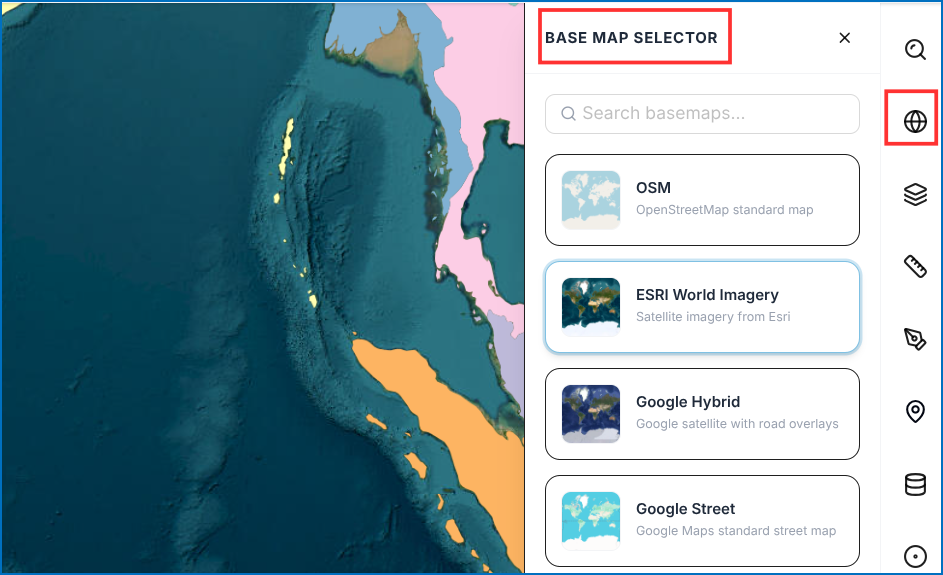 Figure: Basemap Selection Options
Layer List Management
- Click Layer List -> Add Layers.
- Select desired layers from the Available Layers table.
- Click Add to Map.
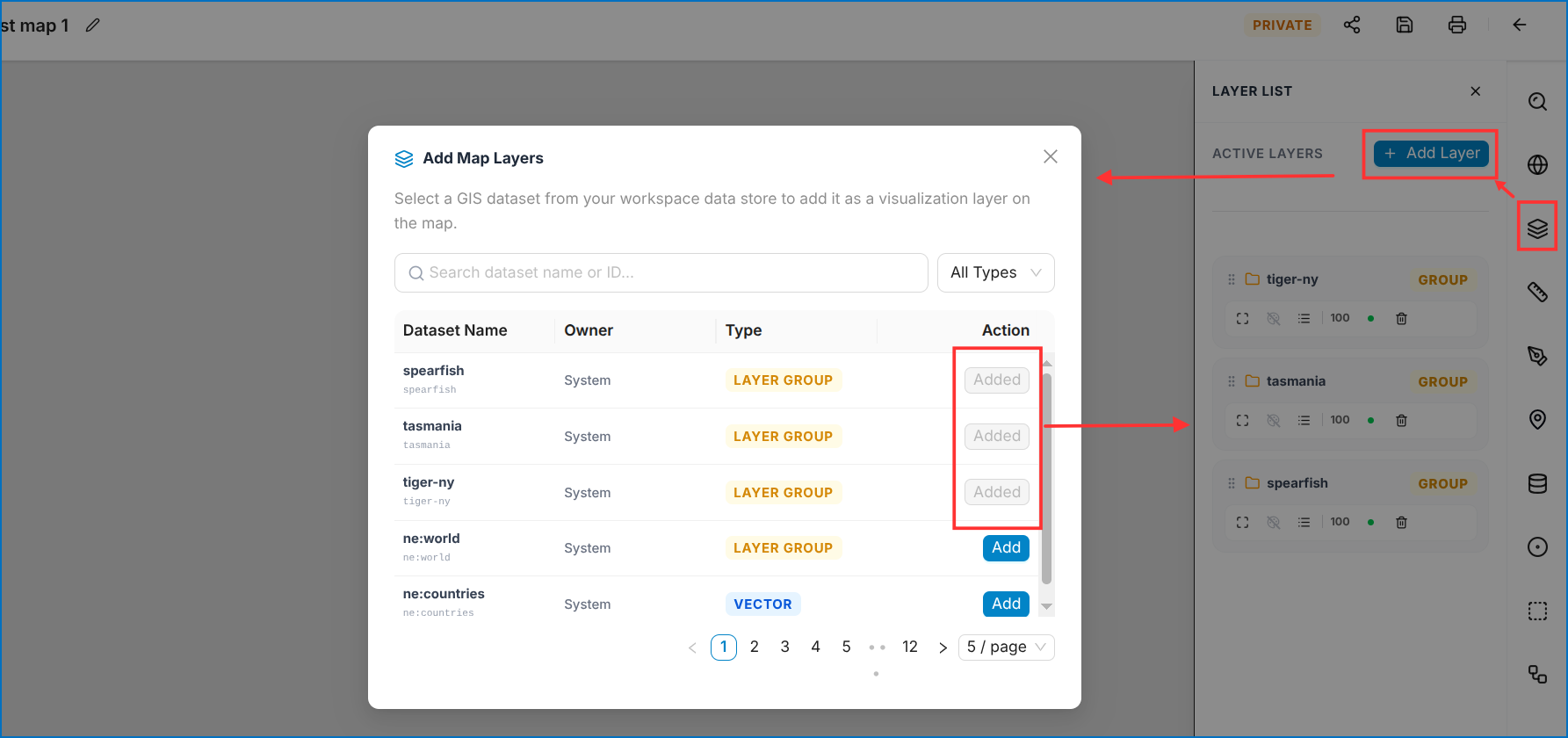 Figure: Available Layers Selection Table
Mini Toolbar Controls
Each layer in the Layer List includes a mini toolbar:
| Control | Name | Description |
|---|---|---|
| 1 | Hide Layer | Toggles layer visibility on/off |
| 2 | Zoom to all | Centers map view to layer full extent |
| 3 | GeoServer style | Applies or modifies GeoServer SLD styles |
| 4 | Legend | Displays symbology legend for the layer |
| 5 | Opacity | Adjusts layer transparency slider |
| 6 | Delete | Removes layer from the workspace |
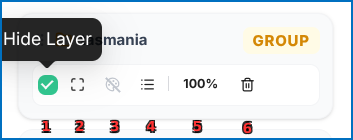 Figure: Layer List with Mini Toolbar Controls